
Download Fireplace App – Free, Secure & Easy‑to‑Use Mac Entertainment Tool
Overview
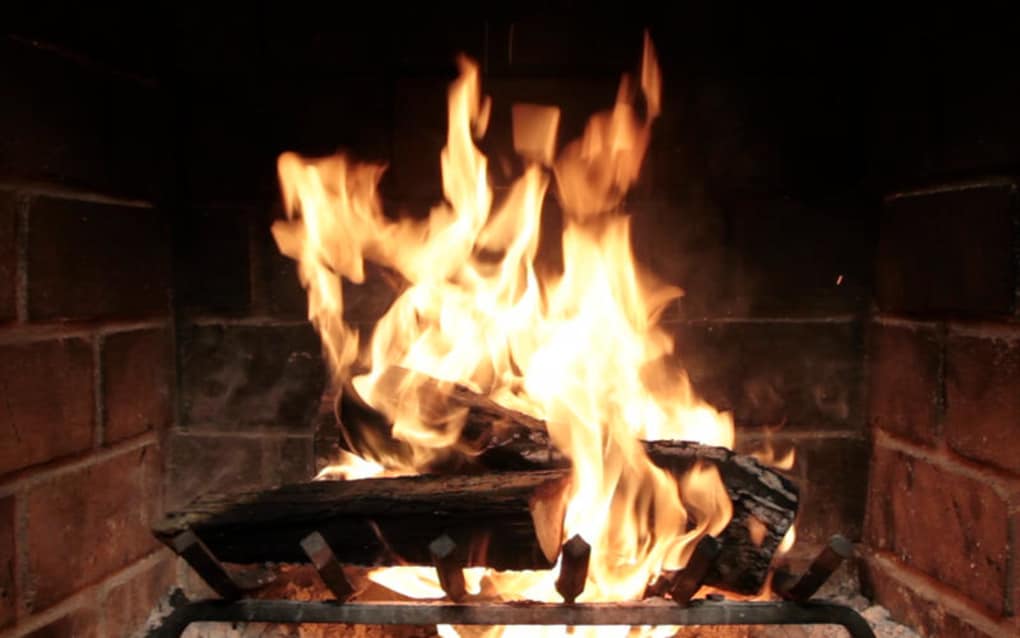
Fireplace App is a full‑version entertainment program designed exclusively for macOS. Developed by Laan Consulting Corp., this app transforms any Mac desktop into a realistic, animated fireplace that adds warmth, ambience, and a touch of elegance to your workspace or home office. Whether you’re looking to create a cozy atmosphere during winter evenings, mask the glare of a bright screen, or simply enjoy the soothing crackle of burning logs, Fireplace App delivers high‑definition visuals, authentic soundscapes, and a set of customizable options that keep the experience fresh.
The software is built with modern macOS frameworks, ensuring smooth performance on Intel and Apple‑silicon Macs alike. It runs securely in the background, consumes minimal resources, and receives regular updates that introduce new themes, improve animation fidelity, and patch any security concerns. Available in English, the app’s user interface is intuitive, allowing both beginners and power users to get started with a single click.
As a paid yet affordable solution, Fireplace App offers a one‑time purchase that unlocks all features without hidden subscriptions, making it a reliable, long‑term addition to your digital environment.
Key Features That Set Fireplace App Apart
- Ultra‑Realistic 3D Flames: Powered by real‑time rendering, the fire reacts dynamically to ambient light and user‑defined wind settings.
- Multiple Fireplace Styles: Choose from classic log fires, modern gas burners, or seasonal themes such as Christmas tree lights and summer beach bonfires.
- Ambient Sound Library: High‑quality crackling, popping, and soft background music tracks can be mixed or replaced with your own audio files.
- Customizable Screen Placement: Position the fire on any monitor, set it as a desktop background, or keep it in a floating window that stays on top of other apps.
- Resource‑Efficient Engine: Optimized for macOS, the app runs at under 5 % CPU on most machines and uses less than 150 MB of RAM.
- Night‑Mode & Timer: Dim the flames automatically at night or schedule the fireplace to turn on/off based on a daily routine.
- Secure Updates: Automatic, signed updates are delivered via the Mac App Store, guaranteeing that the latest features and security patches are installed without hassle.
- One‑Click Export: Capture a screenshot or short video of the fire to share on social media or embed in presentations.
Each feature has been crafted with both aesthetic appeal and functional practicality in mind. For example, the “Night‑Mode” not only reduces brightness but also gradually fades the sound, creating a perfect wind‑down environment for late‑night work sessions. The “Customizable Screen Placement” lets you keep the fire on a secondary monitor while you focus on primary tasks, adding a subtle visual comfort without interfering with productivity. Because the app is built on native macOS APIs, you can expect smooth animations even on older hardware, while Apple‑silicon Macs benefit from the extra GPU acceleration. Overall, Fireplace App offers a well‑rounded suite of tools that turn a simple visual novelty into a versatile productivity and wellness enhancer.
Installation, Usage & Compatibility
Installing Fireplace App on your Mac is straightforward and mirrors the familiar process of any Mac App Store download. Follow these steps for a seamless setup:
- Visit the official Laan Consulting Corp. website or the Mac App Store page for Fireplace App.
- Click the Download button. The installer file (a .dmg package) will be saved to your
Downloadsfolder. - Open the .dmg file and drag the Fireplace App icon into the
/Applicationsfolder. - Launch the app from the Applications folder or via Spotlight. The first run will prompt you to grant permission for screen recording, which is required to render the fire as a live desktop background.
- Enter your purchase code (sent to your email after payment) to unlock the full version. The app validates the code online, ensuring a secure activation.
Once activated, the main dashboard presents three primary tabs: Fireplace, Sound, and Settings. Selecting a fireplace style instantly loads a high‑definition animation. The Sound tab lets you toggle ambient audio, adjust volume, or import custom tracks. Under Settings, you can enable the timer, adjust performance options, and configure automatic updates.
Compatibility: Fireplace App supports macOS 11 (Big Sur) and later, including macOS 12 Monterey, macOS 13 Ventura, and the upcoming macOS 14 releases. Both Intel‑based Macs and Apple‑silicon (M1, M2, and later) are fully supported, thanks to universal binaries that automatically select the optimal architecture at runtime. The app does not currently have Windows, Android, or iOS versions, but the underlying technology is designed for potential cross‑platform expansion in future updates.
Security is a top priority. All communications with Laan Consulting Corp.’s licensing server are encrypted using TLS 1.3. The app does not collect personal data beyond the activation key and a minimal analytics payload that helps developers understand usage patterns (e.g., most popular fireplace style). Users can opt‑out of analytics in the Settings panel. Regular updates are delivered through the Mac App Store, providing a secure, sandboxed environment that prevents tampering.
Pros, Cons, FAQ & Final Thoughts
Pros
- Stunning, realistic 3D fire animations that run smoothly on all supported Macs.
- Extensive customization options for visuals, sound, and placement.
- Low CPU and memory usage, making it safe for long‑term background operation.
- One‑time purchase with no recurring subscription fees.
- Secure, automatic updates via the Mac App Store.
- Night‑mode and timer features that enhance ergonomics and sleep hygiene.
Cons
- Limited to macOS; no native Windows, Android, or iOS version yet.
- Initial purchase required; no free trial version available.
- Sound library is decent but may feel repetitive for heavy users.
Frequently Asked Questions
Can I use Fireplace App on a MacBook Air with M1 chip?
Yes. Fireplace App is compiled as a universal binary, so it runs natively on both Intel and Apple‑silicon Macs, including the M1‑based MacBook Air. Performance remains smooth even on low‑power devices.
Is there a way to add my own fireplace video or image?
Yes. In the Settings tab, you can import custom video files (MP4, MOV) or high‑resolution images. The app will treat them as a new “style” that you can select alongside the built‑in options.
How much does the full version cost?
The full version is priced at $19.99 USD, a one‑time payment that unlocks all current and future fireplace styles, sound packs, and updates.
Will the app affect my battery life?
Because the rendering engine is optimized for low power consumption, the impact on battery life is minimal. On a typical MacBook Pro, you can expect an additional 5‑10 % battery drain when the fireplace runs continuously.
Is there customer support if I encounter issues?
Laan Consulting Corp. provides email support and a knowledge base on their website. Users with a valid license also gain access to priority support and a community forum for tips and tricks.
Conclusion & Call‑to‑Action
Fireplace App delivers exactly what its name promises: a warm, inviting visual experience that can be downloaded securely and used without hassle on any modern Mac. Its blend of high‑quality graphics, low system impact, and thoughtful features such as night‑mode and timer make it a practical tool for both relaxation and productivity. While the lack of Windows or mobile versions limits its reach, the focused macOS implementation ensures a polished, stable experience for the target audience. If you’re ready to add a touch of cozy ambience to your desktop, click the button below to purchase and download the full version today. Transform your workspace with a single click—your eyes (and your mood) will thank you.
Overall Rating: 4.5 / 5
Pros: Realistic visuals, low resource usage, one‑time purchase.
Cons: macOS‑only, no free trial.







